Novel writing software
Novel writing software built around the page.
A calm chapter editor, Plan for outline and world, beta reader links, and export: so you finish books without juggling five apps.
7-day trial (card required), cancel anytime
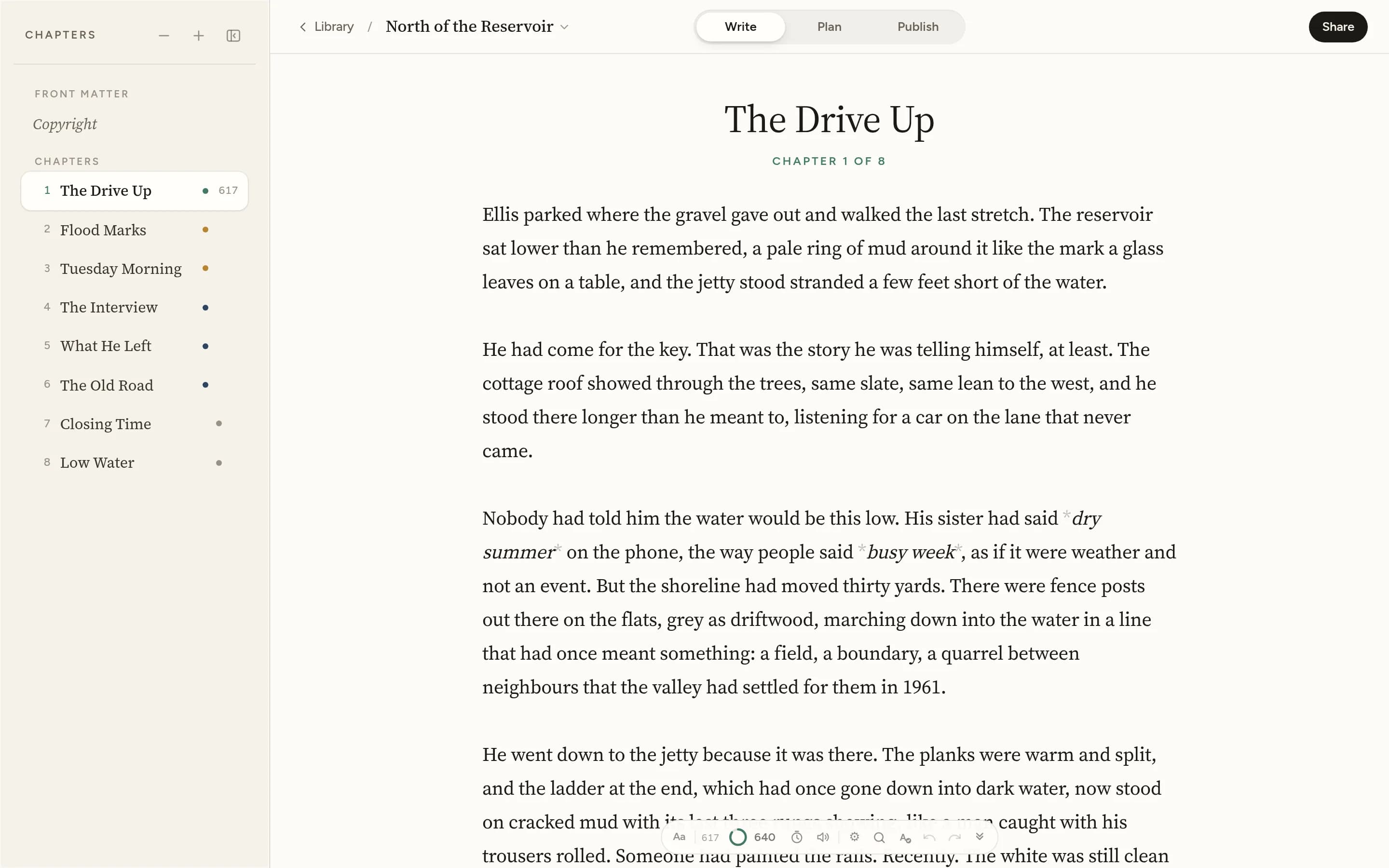
What novel writing software should do
Writing a novel is not the same as writing a document. Chapters move. Characters recur. Continuity breaks. Beta readers leave notes you need to find again. Eventually the manuscript has to leave as EPUB or Word.
Blocwrite is built for that: one writing studio for drafting, planning, feedback, and export. You open a novel, work in chapters, keep the story world beside the page, share reader links when you are ready, and export when the draft is done.
Chapter-based manuscript
The writing room is built around chapters, not one endless scroll. Reorder scenes, keep synopses on each chapter, and save named checkpoints before a risky rewrite.
Revision tools, not just a text box
The Editor’s pass reads a chapter on your device and lights what deserves a second look: echoes, crutch words, stacked sentence openings, long sentences. Story structures lay Save the Cat, the hero’s journey and six other shapes over the chapters you have, and the corkboard shows every chapter as an index card.
Plan beside the draft
Outline, people, places, lore and notes sit next to the chapter you are writing, so names and places do not drift across three hundred pages.
Optional AI assistance
Companion can discuss tone, pacing, dialogue or continuity. Suggestions stay outside the manuscript until you accept. The studio works fully with AI switched off. Connect your own OpenRouter key only if you want Assist.
Publish, submit, Continuity
Publish builds interiors and print cover templates from your trim and page count, with Humanizer on export. Continuity catches name and timeline slips beside the draft. When the book is ready for agents, the submission pack sets the manuscript in standard format and keeps a synopsis, query letter and agent tracker beside it.
More answers elsewhere
Pricing and the trial: see homepage pricing. Publish: print cover templates. Assist and Companion: optional AI assist. Continuity details: novel continuity.
Start a 7-day trial (card required), then Blocwrite £6.99/month or £69/year.
Novel writing software FAQ
Can I bring in a manuscript I've already started?
Yes. Import a Word (.docx) draft and continue from wherever you left off.
Do my beta readers need an account?
No. Share a chapter as a link. They never need a Blocwrite account. They highlight and comment in the browser, and those notes land back beside your manuscript.
Chapter one is waiting.
Open Studio, begin Chapter 17-day trial (card required), then Blocwrite £6.99/month or £69/year. Cancel anytime.