Studio update
What's changed in the studio
How the current studio connects writing, planning, revision, reader feedback and book design.
In this piece5 sections
Updated 23 October 2026 to reflect the current studio.
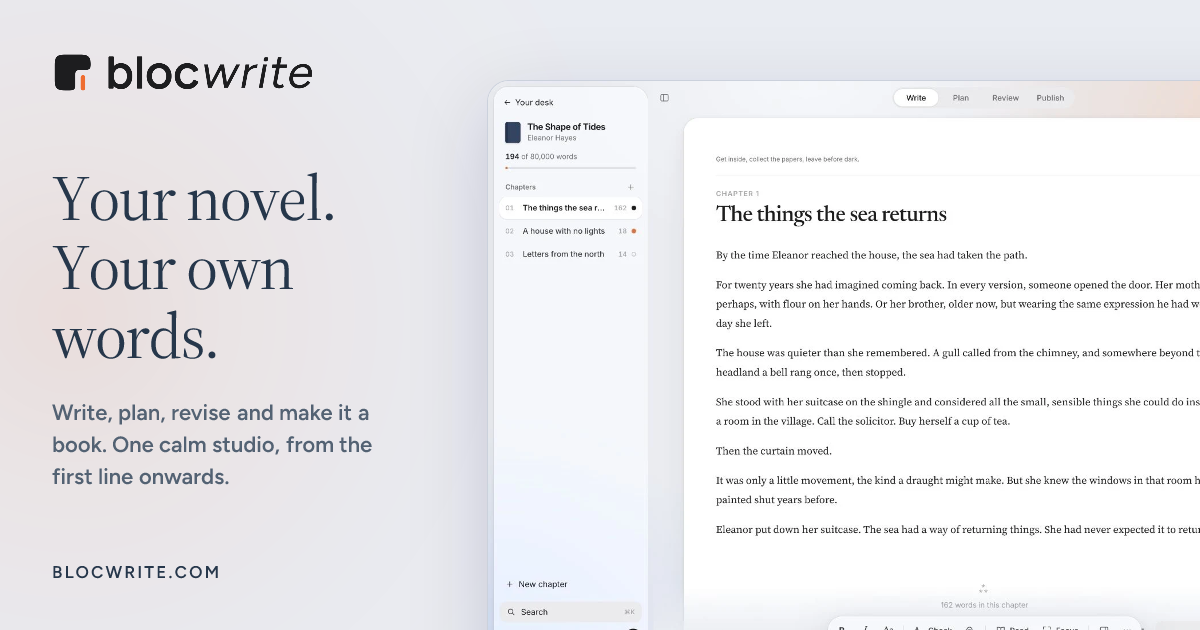
Blocwrite brings writing, planning, revision, reader feedback and book design into one workspace. You write the book; the studio keeps the work around it close to the page.
Write and plan with the same book open
Work in chapters, keep notes beside the draft and use focus mode when you want a quieter page. Word counts, daily goals and writing sprints help you return to the manuscript. A story bible keeps people, places, research and established facts with the book.
Make revision decisions you can come back to
Save a named version before a substantial edit. Keep revision notes with the manuscript, review spelling and grammar suggestions and choose which changes belong in the next draft. Blocwrite does not generate or rewrite your prose.
Share selected chapters with readers
Create a private reader link for the chapters you want to share. Readers can highlight passages and leave comments in their browser without a Blocwrite account. You review that feedback beside the draft and decide what to change. Read about beta reader sharing.
Prepare the files for your next step
Choose a book interior and export EPUB, print PDF or Word files. Check the exported files and your chosen retailer, printer or agent's requirements. Blocwrite prepares files; you upload to the retailer or send the submission separately. The book formatting guide explains the formats.
Try one chapter first
Keep a copy of your original manuscript. Import a Word document, plain text or Fountain file, review the chapter divisions and try drafting, planning and exporting with a small section before moving your whole process.
You can use the free writing goal calculator without an account or card. The full studio has a separate membership with a 7-day carded trial. See current membership pricing.